조직의 승패는 리더의 리더십에 달려있다고 해도 과언이 아닙니다. 이 사실은 기업 조직에도 포함되는 이야기입니다. 유능한 리더를 만난 기업은 눈에 띄게 발전하지만 그렇지 못한 기업은 쇠퇴의 길을 걷는 것이 어쩌면 당연하기 때문입니다.
스마트폰 시대를 연 애플과 변화에 적응하지 못해 핸드폰 시장에서 낙오된 노키아. 그리고 세계 최고의 전자회사로 거듭난 삼성과 그 자리를 삼성에게 내준 소니의 사례는 유능한 기업 리더의 중요성을 우리에게 보여줍니다. 이들 기업의 성공과 실패는 기업 리더가 효과적인 리더십을 발휘했느냐 아니냐에 달려있었습니다.
그렇다면, 이토록 중요한 리더십에는 어떤 유형이 있을까요?
지난 2014년 04월 19일 구로디지털단지에서 열린 '중소기업 최강 인재조직 만들기' 포럼에서는 리더십에 대한 강연이 열렸습니다. 이 강연에서는 글로벌 경영 컨설팅그룹 헤이컨설팅이 제시한 6가지 리더십 유형에 대해 들어볼 수 있었습니다.
헤이컨설팅 그룹에서 제시한 6가지 리더십 유형
1. 지시명령형
지시명령형 리더는 부하에게 일방적인 명령을 내리고 복종을 요구합니다. 명확하고 강력하게 지시하지만 그 지시의 목적이나 실현 방법에 대해서는 충분히 설명하지 않습니다.
장점 지시명령형 리더십은 빠르게 일처리를 해야할 때 유용하게 쓰입니다. 긴급한 상황에 신속한 지시와 명령이 필요한 경우에 지시명령형 리더십이 큰 효과를 발휘합니다. 조직의 긴장이 풀려 있어서, 긴장 분위기를 조성해야 하는 경우 혹은 고객의 불만에 신속히 대응해야 하는 경우에 유용합니다.
단점 지시명령형 리더십의 큰 단점은 부하직원에게 자주성을 부여하지 못한다는 점입니다. 이 리더십을 반복하다 보면 상사의 명령만을 기다릴 뿐 스스로는 아무것도 하지 못하는 지시대기형 부하직원이 만들어지기 쉽습니다. 언제나 상사로부터 지시받은 대로만 하는데 익숙해지기 때문입니다.
2. 비전형
비전형 리더십은 부하가 리더를 따라가고 싶게 만드는 리더십입니다. 비전형 리더십을 가진 리더는 스스로의 생각을 먼저 말하고 부하에게 동기를 부여하면서 조직을 인솔합니다. 명확하고 단정적인 판단을 내린다는 점에서 지시명령형 리더십과 비슷하지만, 부하에게 조직이 나아갈 방향과 지향해야 할 비전을 확실히 제시한다는 점에서 지시명령형 리더십과 차이가 있습니다.
비전형 리더는 조직의 비전과 방향성을 고려하고 이를 명확히 하는 것이 자신의 가장 큰 책임이라고 생각합니다. 그래서 쓸데 없이 지위나 권력을 내세우는 경우가 드물고, 목표달성을 위한 방법 등에 있어서도 결코 독단적인 태도를 취하지 않습니다.
비전형 스타일의 리더는 부하직원이 좋은 의견을 내면 솔직하게 귀를 기울이고 부하직원을 대하는 데 있어 공정함과 유연성을 갖기 위해 노력합니다. 부하직원이나 조직에 돌아가는 이익을 최우선시하며, 이를 위해 해야 할 일이나 방침을 멤버에게 알기 쉽게 전달합니다.
장점 미래의 비전을 제시하여 조직 구성원들에게 열정적으로 일할 동기를 부여합니다. 설정된 하나의 목표만을 향해 조직이 움직이기 때문에 조직 구성원은 효율적으로 일할 수 있습니다.
단점 비전형 리더십은 리더에 대한 부하의 존경과 신뢰가 반드시 있어야만 효과를 볼 수 있습니다. 리더보다도 경험이 풍부하고 지식이나 전문능력이 높은 부하직원이 있는 경우, 비전형 리더십은 효과적이지 못합니다. 리더로서의 권위를 잃거나, 리더를 부하직원들이 신뢰하지 않을 때도 마찬가지로 비전형 리더십은 효과를 보기 어렵습니다.
3.관계중시형
인간관계나 조직의 화합을 최우선으로 여기는 리더십입니다. 부하와 우호적인 관계를 맺고 그 결속감을 활용해 조직성과를 창출하는 유형인데요. 관계중시형 리더는 부하직원 위에 군림하거나 비전을 제시해서 인솔하기 보다 친화적이고 따뜻한 인간관계를 통해 부하직원을 움직입니다. 부하와의 알력은 가능하면 피하고 칭찬을 자주합니다. 부하직원을 큰소리로 야단치거나 처벌하는 일은 결코 하지 않습니다. 부하직원에게 동료의식과 협조성을 강하게 요구합니다.
장점 관계중시형 리더십은 새로운 직원을 조직에 동화시키고 업무에 적응시키는데 효과적입니다. 비전형 리더십과 관계중시형 리더십을 함께 발휘하면 더욱 효과적일 것입니다. 비전형 리더십으로 비전을 제시하고 관계중시형 리더십으로 팀의 화합을 도모한다면 팀의 효율은 배가될 수 있습니다.
단점 관계중시형 리더가 이끄는 조직은 ‘사이 좋은’ 클럽으로 빠져버릴 위험이 있습니다. 멤버간에 모두 친밀하기 때문에 조직은 평화롭지만 긴장감이 전혀 없을 수가 있기 때문입니다. 이 때문에 조직성과가 높지 않을 가능성이 큽니다.
4. 집단운영형
집단운영형 리더는 업무방식이나 사내 규칙을 정하는 의사결정과정에 부하를 참여시키고 그들의 동의를 얻습니다. 집단운영형 리더는 부하의 의견을 구하고 생각을 듣고 아이디어를 모으면서 업무를 진행합니다. 관계중시형 스타일과는 달리, 자신과 전혀 다른 의견에도 귀를 기울입니다. 집단운영형 리더에게 부하 한 사람 한 사람은 회사의 주역이고, 집단운영형 리더는 이들 사이에서 의견을 정리하는 역할을 합니다.
장점 가장 민주적인 리더십으로 모든 부하구성원의 의사에 귀를 기울일 수 있습니다.
단점 집단운영형 리더는 조직을 리드하면서 최종결정을 내리는 능력이 부족합니다. 이 때문에 아무리 부하들과 회의를 거듭해도 의견일치를 이끌어내지 못할 가능성도 있습니다. 의사결정과 업무수행 속도가 떨어진다는 단점이 있고, 긴급한 업무를 수행할 수 없을 때도 많습니다.
5. 규볌형 리더십
규범형 리더는 자신에게도 타인에게도 엄격합니다. 부하에게 철저한 자기관리와 높은 업적수준을 요구하며 자신이 그 규범을 보이기 위해서 노력합니다. 스스로가 성공적인 모델이 되어 솔선수범하며 팀을 이끌어 갑니다. 어떤 일도 더욱 빠르게 잘 처리하기 위해 노력하며 주위 사람에게도 자신과 같은 정도의 업무능력을 요구합니다. 부하의 업적이 오르지 않으면 이를 바로 지적하고 개선을 요구합니다. 부하가 자신의 기대에 부응하지 못할 경우, 부하를 지도하는 것을 금방 포기하기도 합니다.
장점 조직 규모가 작아 조직 구성원이 조직 전략과 이에 필요한 기술을 잘 알 수 있을 때 효과를 발휘하는 리더십입니다. 조직 구성원이 우수하고 상사의 특별한 상사의 관리가 필요하지 않을 때, 부하가 의욕적이어서 상사의 동기부여를 필요로 하지 않을 경우에 효과적입니다.
단점조직이 크고 복잡해서 상사 혼자서 업무를 처리하기 힘든 경우나, 부하에게 많은 것을 지시하고 가르쳐야 할 때는 큰 효과를 거들 수 없습니다.
6. 육성형 리더십
육성형 리더는 유능한 카운슬러나 교육자와 같은 행동을 합니다. 부하가 자신의 장점이나 단점을 내보이도록 도와주고, 부하에게 필요한 것을 조언합니다. 부하를 육성하는 데 필요한 지도와 피드백을 게을리하지 않습니다. 육성형 리더는 현재 당장의 업적보다는 미래의 성장을 중시합니다. 부하직원과 대화하는 것을 즐기며 자신이 부하와 동등한 위치에 서는 것을 거부하지 않습니다. 육성형 리더십은 조직에서 매우 중요한 리더십이지만 가장 부족한 리더십이기도 합니다.
장점 육성형 리더십은 부하가 스스로 발전하고자 하는 의지가 있을 때 매우 효과적입니다.
단점 리더의 지도기술이 부족하여 자신이 지도할 부하와 가르쳐야 하는 내용에 대해 제대로 파악하지 못할 경우에는 효과를 볼 수 없습니다. 단기적인 성과를 요구하는 일을 할 때도 육성형 리더십은 효과적이지 않습니다.
모든 리더의 필수자질 : 비전형 리더십
위에 소개해드린 6가지 리더십은 모두 중요하고 리더십별로 각각 필요한 상황이 있습니다. 그럼에도 불구하고 6가지 리더십 중에서, 모든 리더가 반드시 갖춰야 하는, 가장 중요하면서 기본이 되는 리더십을 하나만 고르라고 한다면 무엇을 골라야만 할까요?
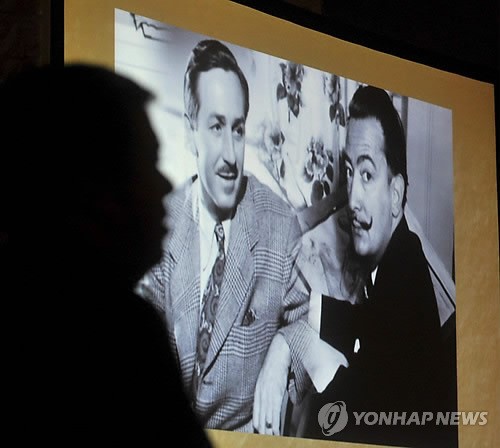
헤이컨설팅 그룹은 리더가 갖춰야 할 가장 중요한 리더십은 비전형 리더십이라고 말합니다. 리더는 반드시 조직의 목표와 조직이 나아갈 방향을 정확히 파악하고 이를 조직구성원들에게 제시하고 이해시켜야 하기 때문입니다. 비전형 리더십을 보여준 리더의 가장 대표적인 예로는, 여러분께서도 잘 알고 계신 월트디즈니를 들 수 있는데요.
월트디즈니 : 행복을 전파하는 회사를 꿈꾼 비전형 리더
[이하 사진=연합뉴스]
만화영화 스튜디오 월트디즈니와 디즈니랜드를 만든 월트디즈니의 비전은 많은 사람을 행복하게 하는 것이었습니다. 그는 회사의 모든 조직원들에게 이 비전을 가르쳤고 고객을 행복하게 하는 것은 물론 그들 스스로도 일하면서 행복을 느낄 것을 요구했습니다. 월트디즈니가 제시한 회사의 비전은 그가 죽어서까지도 그의 회사에 계속 남았는데 다음의 일화는 월트디즈니가 제시한 비전이 그 회사에 얼마나 큰 영향을 끼쳤는지를 보여줍니다.
한 부부가 월트디즈니사에서 인턴사원으로 일하고 있는 아들의 초대로 디즈니랜드를 방문했습니다. 그런데 부부에게 디즈니랜드를 구경시켜주던 아들이 갑자기 한 여성에게 다가가 온갖 방법을 동원해 그녀를 웃기고 다시 부부에게 돌아왔습니다. 부부가 왜 그랬는지를 묻자 아들은 이렇게 대답했습니다. "저 여성분이 아까부터 인상을 쓰고 있더라고요. 그녀가 계속 얼굴을 찡그리고 인상을 써봐요. 다른 사람들도 그녀를 보고 똑같이 따라 할 거에요. 이곳은 지구에서 가장 행복한 곳이어야 하는데 그런 일이 일어나서는 안 되지요." 아들의 말에 대견스러워하면서도 아버지는 한 마디 질문을 던졌다. "월트디즈니가 죽은 지가 언젠데 아직도 그런 비전 타령을 하느냐?" 그러자 아들은 대답했습니다.
"아버지, 월트디즈니는 없지만 그의 비전은 이곳에 살아 있습니다. 그 비전이 바로 디즈니랜드가 세계 최고가 되는 비결입니다."
이 디즈니랜드 인턴사원의 일화에서 알 수 있듯이, 월트디즈니는 디즈니 만화영화를 보고 디즈니랜드를 찾아온 모든 사람들을 행복하게 하자는 비전을 추구했고 이 비전을 회사에 불어넣었습니다. 그리고 마침내 월트디즈니가 강조하던 비전은 모든 구성원들이 열정적으로 일하는 동기가 되어 주었습니다.
이 비전은 월트디즈니가 죽은 이후에도 여전히 월트디즈니사의 가장 중요한 목표로 남아있으며 지금도 현재진행 중입니다. 그래서 월트 디즈니사는 예나 지금이나 변함없이 많은 사람에게 최고의 만화영화와 놀이공원을 제공하고, 사람들을 행복하게 만들고 있습니다.
오늘날, 기업을 포함한 많은 조직에서 리더의 역할은 매우 중요합니다. 조직을 성공으로 이끌기 위해서는 헤이컨설팅 그룹이 말한 6가지 리더십을 효과적으로 활용해야만 할 것입니다. 여러 리더십 중에서도 특히 비전형 리더십의 빛을 발휘해야 합니다.
지난 2008년 이후, 세계 경제는 계속 불황 속에 있습니다. 경제가 어려울수록, 리더가 제시하는 비전의 가치는 큰 빛을 발하기 마련입니다. 세상 모든 조직의 리더들이 월트디즈니처럼 조직 구성원에게 조직의 비전을 제시하고 열정적으로 일할 동기를 부여를 할 수 있기를 기대합니다.
그리고 무엇보다도 세상의 리더들이 많은 사람들에게 오늘보다 멋진 내일을 꿈꾸게 만들기를 바랍니다.