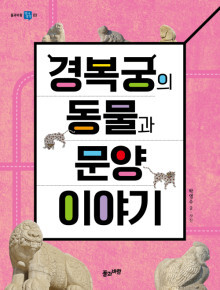
* 알수록 새롭고 가 보고 싶은 아름다운 공간, 경복궁! 조선의 으뜸 궁궐 경복궁은 독특한 조형미를 가진 궁궐입니다. 산을 이용하되 산과 조화를 이루고, 정문 광화문부터 왕의 침전 강녕전까지 기하학적 질서에 따라 대칭적으로 건축되었습니다. 해치를 비롯해 범, 용, 봉황, 거북 등의 서수들이 궁궐 곳곳을 지키고, 고유의 상징과 의미를 지닌 문양들이 전벽돌과 벽돌담에 장식되어 있지요. 《경복궁의 동물과 문양 이야기》는 경복궁 주요 전각과 건물에서 빼놓지 말고 보아야 할 궁궐 각 부분의 명칭과 유물의 의미를 쉽고 명쾌하게 전달합니다. 다양하고 재미있는 이야기가 경복궁 곳곳의 숨은 의미와 쓰임을 흥미롭게 펼쳐냅니다. 이야기 속에 등장하는 경복궁 면면을 사진으로 보여 주기에 실제 경복궁 모습과 연계하여 읽고 체험 학습에 활용할 수 있지요. 책은 역사, 문화, 예술 등 다양한 시각으로 경복궁을 보여 줌으로써 자랑스러운 우리 문화유산을 아끼고 사랑하도록 민족적 자긍심을 일깨웁니다. 책을 읽고 경복궁을 직접 찾아가 책 속 동물과 문양들을 직접 확인해 보면 어떨까요?
* 격조 높고 품위 있는 왕실 문화와 옛 선조들의 세계관을 엿보다! 경복궁은 어디 하나 허투루 지어진 것이 없습니다. 불을 땔 때, 연기가 밖으로 빠져나가도록 만든 구조물인 굴뚝마저도 단순한 난방 장치가 아닙니다. 경복궁 자경전 굴뚝은 그 자체로 화려하고 아름다운 예술품이지요. 굴뚝에는 건강하게 오래 살라는 의미가 담긴 십장생이 새겨져 있는데, 화공이 그리고 도공이 구운 전벽돌을 하나하나 붙인 정성스러운 작품입니다. 경복궁에는 전각과 담장을 비롯하여 기와, 굴뚝, 지붕, 처마 등 실용적인 부문에 이르기까지 다방면에 걸쳐 동물과 문양이 장식되어 있습니다. 고유의 상징과 의미를 지닌 이러한 장식은 격조 높고 품위 있는 조선 왕실 문화를 보여 주는 동시에 옛 선조들의 삶과 세계관을 응축해 나타냅니다. 각종 동물과 문양이 새겨진 까닭과 배경, 그리고 그것이 어떻게 변해왔는지를 살펴봄으로써 독자는 어렵고 낯선 역사를 좀 더 가깝게 받아들일 겁니다. 또한 선조들의 생활 문화 전반을 이해하고, 옛 궁궐의 아름다움 속에서 조상의 지혜를 발견하게 될 것입니다.
* 살아 있는 우리 역사를 굳건히 지켜나가는 방법! 조선 왕조 제일의 법궁 경복궁은 600년이 넘는 오랜 세월을 감내해 온 만큼 슬픈 역사도 고스란히 안고 있습니다. 임진왜란으로 폐허가 된 뒤 흥선 대원군의 집념으로 다시 세워졌지만, 일제 강점기와 6·25전쟁을 겪으면서 복원이 제대로 이루어지지 않았습니다. 동십자각이 섬처럼 외따로 서 있는 이야기, 잘못 복원한 광화문 현판 이야기, 명성 황후 시해 장소인 건청궁 이야기 등 경복궁의 가슴 아픈 역사와 현재 모습을 진솔하고 정확하게 담아내고자 노력했습니다. 이 책은 경복궁을 단순히 소개하는 것이 아니라, 그 역사와 가치를 자연스럽게 익히도록 안내합니다. 또한 경복궁을 통해 우리 역사와 미래를 다시 돌아보게 합니다. 책을 보며 역사를 아는 것에서 나아가 우리 역사와 문화를 단단히 지키고 보호할 방법을 찾아 행동하길 바랍니다. ○ 본문 중에서
용상과 일월오봉도의 의미 근정전 안을 정면으로 들여다보면 높은 단상이 있고 그 위에 붉게 칠해진 용상(龍床)이 있습니다. ‘용상’은 임금을 용에 비유하여 임금이 일할 때 앉던 평상을 가리킨 말입니다. 귀한 사람이 앉는 자리라는 뜻에서 옥좌(玉座)라고도 말합니다. 임금의 전용 의자 테두리에는 용을 장식해서 왕권을 나타냈습니다. “왜 의자가 하나뿐일까요?” 조선 시대에 의자는 특별한 신분을 나타내는 상징이었기에, 근정전에서는 임금만 의자에 앉을 수 있었습니다. 서 있는 신하들이 높은 단상에 앉아 있는 임금을 우러러보게끔 만드는 장치였습니다. “해와 달이 함께 그려진 그림은 무슨 뜻일까요?” 옥좌 뒤에는 일월오봉도(日月五峯圖) 병풍이 배경으로 있습니다. 일월오봉도에는 십장생도와 달리 사슴, 거북, 두루미 등 무병장수를 상징하는 동물이 등장하지 않습니다. 영원불멸을 강조하고자 생명력 있는 동물을 그리지 않은 것입니다. 그림과 색채가 정해져 있는 일월오봉도는 왕권을 상징하는 그림입니다. 하얀 달과 붉은 해는 음양을 나타내는 동시에 왕비와 국왕을 상징합니다. 다섯 봉우리는 우리나라를 대표하는 다섯 산을 상징하는 동시에 국왕이 다스리는 국토를 의미합니다. 조선 시대에 오악(五嶽)으로 꼽힌 다섯 산은 백두산, 금강산, 묘향산, 지리산, 삼각산을 가리킵니다. 오악은 음양오행에 따라 각기 북 동 서 남 중앙을 상징합니다. 힘찬 물줄기의 폭포와 붉은 소나무는 강한 생명력을 상징합니다. 산 아래에서 넘실대는 파도는 조정을 상징합니다. 파도를 이르는 한자 潮(조수 조)가 조정(朝廷)의 조(朝)와 발음이 같음을 고려해서 그렸으니까요. 백관이 입는 관복 흉배에 파도 문양을 수놓은 것도 이 때문입니다. 일월오봉도는 1만 원권 지폐 앞면 세종 대왕 어진의 바탕 그림이기도 합니다.
圖書
도서
1. 글씨ㆍ그림ㆍ책 등(等)을 통틀어 일컫는 말. 서지(書誌).
2. 조선(朝鮮) 시대(時代)에 왜인(倭人)이나 야인(野人)의 유력자(有力者)에게 내조(內助)할 수 있는 신표로 내려준 구리로 된 도장(圖章).
세 가지 특성이 실리콘밸리를 만들었다. 첫째는 투자에 대한 위험 감수이고, 둘째는 실패를 받아들이는 태도다. 실리콘밸리에선 실패를 ‘끝이 아닌 무언가를 배우는 과정’, ‘안되는 법 한 가지를 선택지에서 제거하는 작업’이라고 여긴다. 세 번째는 인재를 확보하기가 용이하다는 점이다. - 마이크 혼다, 미국 전 하원의원
‘투자에 대한 위험 감수’, ‘실패를 긍정적으로 받아들이는 태도’, ‘우수한 인재를 적시에 확보하는 것’. 기업의 성공요소임에 틀림없습니다. 이 세 가지는 꼭 실리콘밸리에 가지 않더라도 언제든지 즉시 적용 가능합니다. 멀리에서 답을 찾는 대신, 바로 지금 그대로 실행하면 성공하는 조직을 만들 수 있습니다.
'포트폴리오 커리어의 시대'는 세계 최고의 경영사상가 찰스 핸디가 이미 오래전에 예측한 바 있다. 그는 포트폴리오 커리어의 시대에는 대부분의 생활이 일에 포함된다고 본다. 2가지 또는 그 이상의 영역에서 일을 하는 사람들이 늘어나는 현상에 따른 것이다. '멀티-커리어리즘' (Multi-careerism)과도 연결된다. 이런 포트폴리오 커리어는 하나의 직무만으로 평생 먹고살기가 힘들어진다. 그런 미래가 우리 앞에 이미 현실화되었음을 시사한다.
- 이광호의《아이에게 동사형 꿈을 꾸게 하라》중에서 -
* 하나의 일, 하나의 직업으로 살아가는 시대는 지났습니다. 모든 것이 일이 되고 모든 일이 직업이 되는 시대를 맞고 있습니다. 여러 일을 동시에 할 수 있는 '멀티 플레이어'가 되어야 살아남을 수 있습니다. 이런 시대에 요구되는 가장 중요한 것은 자기 관리, 자기 준비입니다. 새로운 기술과 지식, 유연한 사고와 창의적 발상으로 언제든 능숙하게 대응해야 합니다. 포트폴리오 커리어 시대입니다.